imtoken will never ask for your seed phrase, private key or verification code. Always review the address, network and request details before transferring, signing or approving.
imtoken

Manage Multi-chain Assets and Connect to Web3 with Clarity

A multi-chain wallet, blockchain network and Web3 knowledge hub from imtoken

imtoken explains multi-chain assets, network selection, sending and receiving, DApp connections, token approvals, blockchain concepts, and wallet security so users can understand what each action does and how to verify the result.

Multi-chain assetsNetwork checksDAppApproval managementWallet security
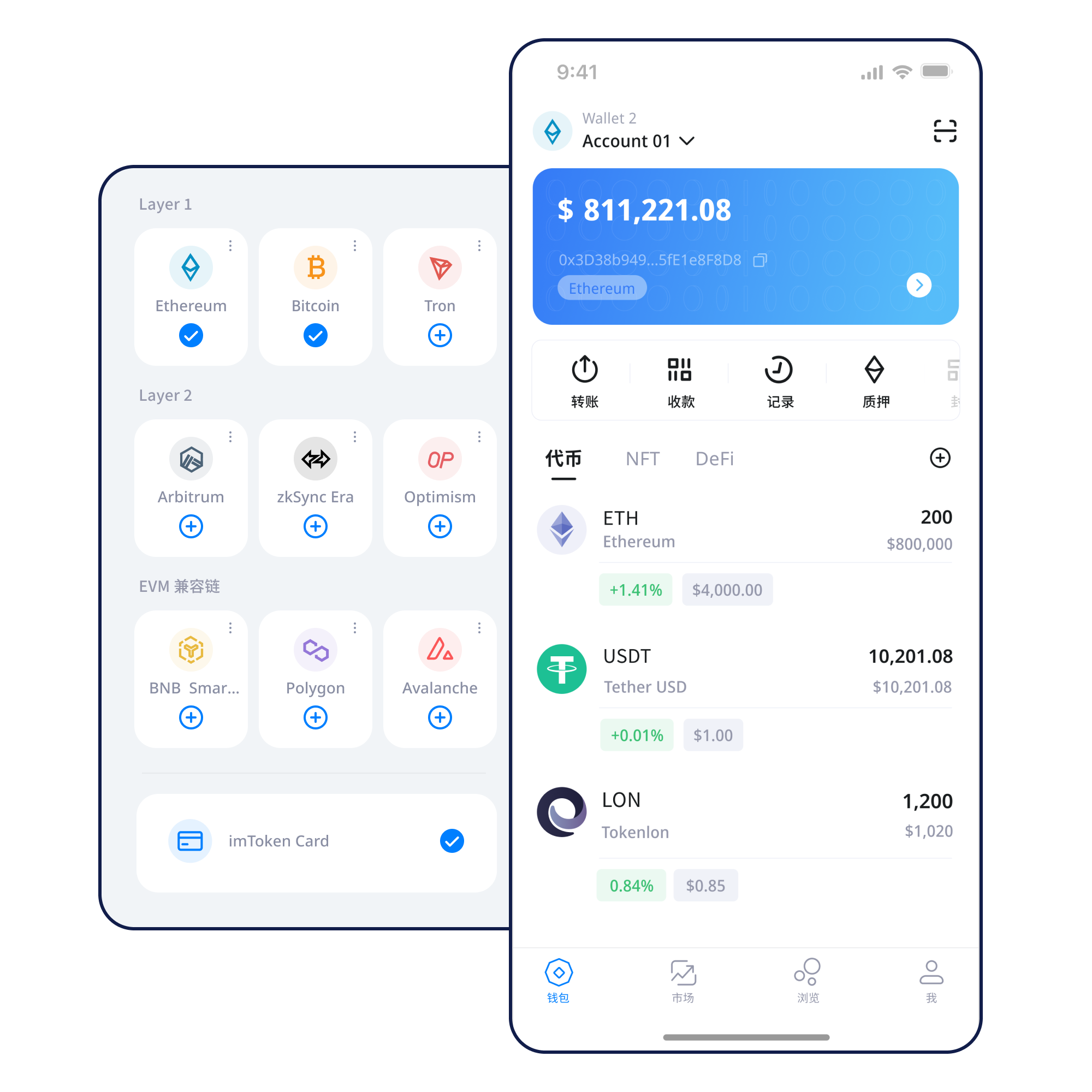
imtoken mobile wallet interface illustration
Quick tasks

Start with what you need to do

Break common tasks into verifiable steps so networks, addresses, and permissions stay clear.

01

Create a Wallet

Learn the role of addresses, networks, and recovery information before creating a wallet.

Read guide →
02

Back Up a Wallet

Keep recovery information offline and avoid screenshots, chat forwarding, or exposed cloud storage.

Read guide →
03

Receive Assets

Confirm the network before sharing an address, then verify the transfer on-chain.

Read guide →
04

Send Assets

Verify address, network, amount, and fee before submitting, then check the transaction hash.

Read guide →
05

Connect to a DApp

Connection only opens an interaction channel; review every later signature and approval.

Read guide →
Wallet capabilities

Organized around real wallet use

Multi-chain Assets

Keep asset context clear across networks and verify addresses and confirmations.
Multi-chain network relationship illustration

Send & Receive

Check the receiving address, network, amount, gas, and transaction hash.

imtoken APP

View assets, manage networks, inspect history, and connect to DApps on mobile.

imtoken APP

imtoken Web

Understand account connections, approval review, DApp access, and disconnection in a browser environment.

Wallet Security

Back up recovery information offline, keep private keys private, and review signatures and approvals one by one.
Illustration of keeping wallet secrets offline

Transaction History

Use the correct block explorer to verify hashes, status, and confirmations.

Networks

Select the network before interpreting the transaction

Multi-chain

Understand independent network state, address context, and chain switching to reduce mistakes.

Read more →
Multi-chain knowledge illustration

Public Chains

Understand public chains through nodes, blocks, transactions, confirmations, and explorers.

Read more →
Public Chains knowledge illustration

EVM

Learn how accounts, gas, smart contracts, tokens, and approvals fit together.

Read more →
EVM knowledge illustration

Layer2

Understand Layer 2, settlement, bridges, confirmations, and network selection.

Read more →
Layer2 knowledge illustration
Usage path

A six-step habit you can repeat

01

Get imtoken

Use the site download entry and verify the domain and page source.

02

Create or import a wallet

Understand the difference between creating and importing, and never disclose private keys.

03

Back up the wallet offline

Keep the seed phrase offline and avoid screenshots, exposed cloud storage, or chat forwarding.

04

Select and verify the network

Confirm the active network before transfers; similar address formats still require separate verification.

05

Receive or send assets

Verify the address, network, amount, and gas before submitting.

06

Review transactions and approvals

Review the transaction hash and periodically remove DApp approvals you no longer need.

Web3 & DApp

Review every connection, signature, and approval separately

Connecting a wallet does not mean every signature request should be approved. Review each signature and approval separately.

Open the Web3 guide →
Visit a DApp
Verify the domain
Start connection
Review account request
Review signature or approval
Complete the action
Disconnect when no longer needed
Security

Turn security into a repeatable review process

Seed phrases and private keys remain under user control. Official personnel will not ask for them, and you should never send a seed phrase, private key, or verification code to anyone. On-chain transactions generally cannot be unilaterally reversed by a wallet, and third-party DApps and smart contracts can involve risk, so verify addresses, networks, amounts, spenders, and permission scope before acting.

Open Security →
Wallet security review illustration
  • Back up the seed phrase offline
  • Never disclose private keys
  • Verify network and address
  • Review signature requests
  • Manage DApp approvals
Featured guide

What Should You Understand Before Using a Digital Wallet?

Understanding addresses, seed phrases, private keys, networks, gas, transaction hashes, DApps, and approvals helps you know what can be public, what must stay secret, and what should be verified on-chain.

Read Getting Started →
NetworkPublic Chains and ConfirmationsEVMEVM and Smart ContractsLayer2Layer 2 BasicsWeb3DApp ApprovalsSecurityWallet SecurityAcademyBlockchain Glossary
Ethereum & PoS

Understand the mechanics and risks before participating

Ethereum Staking Basics

Learn Ethereum PoS, validators, reward sources, network state, withdrawals, and exit mechanics. Staking does not guarantee returns, and rewards can change.

Read the basics →

Know Before Participating

Validators may face protocol penalties, exits may involve waiting, smart contracts and third-party services carry technical or operational risk, and digital-asset prices can fluctuate.

Learn about validators →
Updates

Product and security notices, focused on the content

View all →
Recent UpdateProductWallet network review guidance
Security NoticeSecurityNever send seed phrases, private keys, or verification codes
Product NoticeNetworkUnderstanding network selection across EVM and Layer 2
Recent UpdateServiceFAQ and support path guidance
FAQ

Frequently Asked Questions

Asset state is recorded on the relevant blockchain. A wallet manages addresses and signing authority rather than storing on-chain assets inside the app file.
No. Official personnel should never ask for your seed phrase or private key, and you should never send recovery information or verification codes to anyone.
Treat the related account as potentially compromised. A password change does not repair an exposed blockchain key; assess asset migration and existing approvals promptly.
Each network maintains its own state. Similar address formatting does not mean the assets are on the same network.
Gas measures resources used by a transaction or contract call. Actual fees vary with network conditions and operation complexity.
A transaction hash lets you verify whether a transaction was submitted, included, failed, or confirmed on the correct network explorer.
Once confirmed, on-chain transactions generally cannot be unilaterally reversed by a wallet. Verify the address, network, and amount before submitting.

Understand first, then act on-chain

The download entry always leads to the imtoken download service page. Keep verifying the domain, network, address, and permissions before acting.

Download imtoken